July 2025

Benefits for Sellers
Uncategorized

Best Amazon Advertising Strategies for 2025

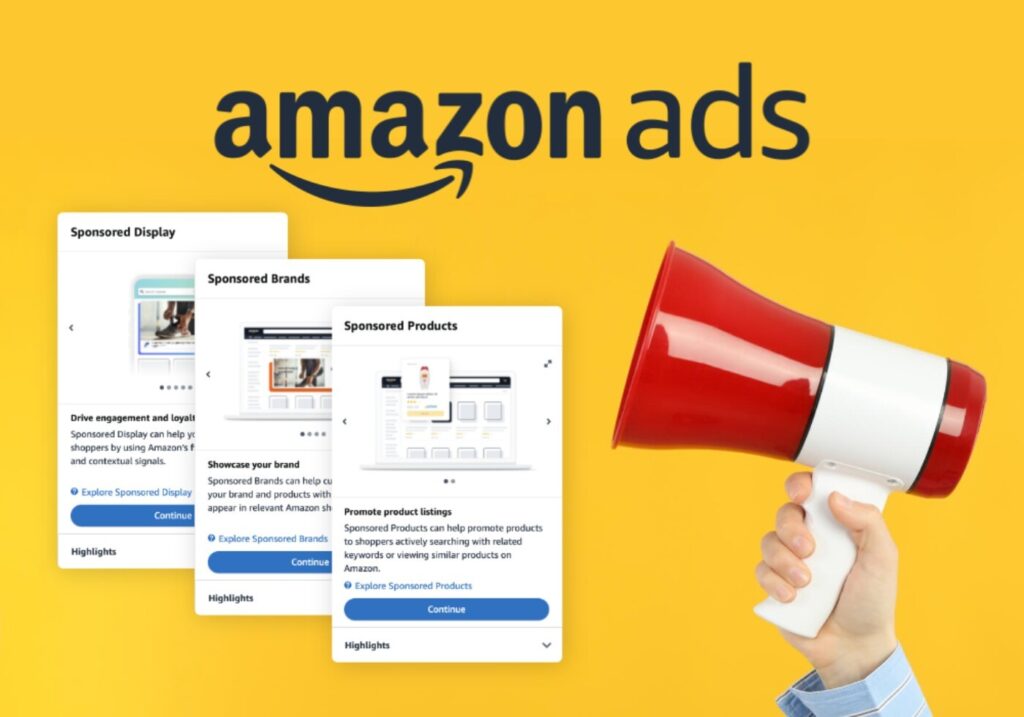
Introduction Amazon Advertising refers to pay-per-click / PPC platform selling on Amazon through Sponsored Products, Sponsored Brands (formerly Headline Search Ads), Sponsored Display and DSP. It has become necessary in 2025, to stand out with maximum competition in the marketplace where the majority of shoppers start the investigation of the product. The development of simple keyword ads has been transformed into a well-developed system, video formats, and customization. Users who become increasing search results-dominant to increase sales are those who use data and creative strategy in the selling process. How Amazon Advertising Works Amazon Ads are based on the auction and cost per click mechanism. Advertisers put in bids on keywords or Basins when a shopper searches and the best bid, considering relevance of the ad, gets the placement. Ware von den Abietin under anoderm mulish: Manual Targeting (pick and bid from the list of keywords). Automa TARGET (Amazon chooses keywords based on your title) Bid Strategies: fixed Bids godown Only or Up and Down Dynamic Bids ar-powered and rule-based doing Ads formats are as follows: Sponsored Products/Brands (will be placed in the results of the search and on the pages with products) Retraining and interest-based targeting with Sponsored Display DSP (off-Amazon targeting through video, audio and programmatic adverts) Amazon AI constantly makes ad delivery as efficient as possible, being able to forecast the conversion potential of the shopper in real-time, particularly, with the help of Amazon tools, such as Brand and Performance. Benefits for Sellers Amazon Ads help sellers: Increase visibility to high-intent shoppers Boost conversions and overall sales Control brand presence and prevent competitor hijacking Compete against bigger brands using precise targeting One seller noted a  return on ad spend, and many allocate over 30% of their marketing budget to Amazon Ads due to strong performance. Amazon advertising strategies for 2025, not just theory but how sellers can actually apply them to increase performance.    1. Brand Defense with Branded Keyword Domination What it is: Protect your brand from competitors who bid on your name and steal your branded traffic. Execution: Run Exact Match SP & SB campaigns for your brand name. Use Sponsored Display to target your own Basins. Create Store spotlight ads and headlines that emphasize your brand value. Example 1: When users search “Glowing,” show a headline: “Glowing Official – Trusted by 50,000+.” Example 2: For the brand “Quicksilver,” block competitor SD placements on your own Basins using defensive targeting. Why it works: You stop leakage of high-intent branded traffic and defend conversion from lower-cost, higher-ROE searches. How It’s Effective for Sellers in 2025: Brand hijacking is real — and rising. In 2025, if you don’t own your name, your competitors will. Are you ready to defend what’s yours 2. Negative Targeting Strategy to Cut Wasted Spend What it is: Block low-converting or irrelevant keywords, Basins, and categories from triggering your ads to protect ad budget and improve efficiency. Most sellers apply this strategy after launching their campaigns—by then, a lot of money has already been spent. We, however, use this strategy during campaign creation to avoid wasted spend from the start. Execution: Use Search Term Reports to identify high-click, no-sale terms. Add as Negative Phrase or Exact. Exclude competitor ASINs that generate traffic but don’t convert. Example 1: A seller of luxury candles blocks cheap scented candles and DIY wax kits. Example 2: A men’s wallet brand excludes women’s purse Basins from Product Targeting. Why it works: You prevent wasted spend and direct your budget toward converting traffic — keeping Acts in control. How It’s Effective for Sellers in 2025: Wasted clicks cost more than ever. In 2025, campaigns without clean targeting aren’t just inefficient  they’re bleeding profit. 3. Search Fragment Reconstruction for Mobile Behavior What it is: Target casual, shorthand-style phrases used by mobile shoppers that most sellers overlook. Execution: Use Helium10/Bracero or Search Term Reports to find broken or shorthand phrases. Build a Phrase Match campaign using real shopper-style fragments. Example 1: A seller of back braces targets terms like  brace 4 back or belt back pain. Example 2: For dog shampoo, also target “wash dog fleas” and “itch shampoo dog.” Why it works: You reach real-world, mobile-first shoppers with more natural intent often at lower CPC. How It’s Effective for Sellers in 2025: Mobile shopping dominates in 2025 and if your keywords don’t match how people actually type, you’re invisible to millions of real buyers. 4. Category Targeting Refine for Competitor Disruption What it is: Refine category targeting to display your ads only on high-value competitor pages. Execution: Select category targeting and apply brand price rating filters. Highlight your product’s value vs. overpriced competitors. Example 1: A compression sock brand targets $40 competitor brands while pricing theirs at $19.99. Example 2: A vitamin C serum ad runs on premium competitor Basins with the headline: Why Pay $40 When Ours Is Just $17 Why it works: You win over price conscious shoppers comparing similar products  increasing conversion rate and brand exposure. How It’s Effective for Sellers in 2025: Today’s shoppers are scrolling through comparison tables  not search pages. Are your ads positioned to steal the spotlight exactly where it counts 5. High CTR, Low Conversion Isolation What it is: Isolate high interest, low-conversion keywords to improve or eliminate them. Execution: Use Search Term Reports to extract high-CTR, zero-conversion terms. Place them into a test campaign for tighter control and bid adjustments. Example 1: A supplement seller isolates best vegan protein it gets clicks but no conversions and tests new pricing and images. Example 2: A phone case brand finds “drop proof iPhone case” gets tons of clicks, so they A/B test a new hero image. Why it works: You protect your main campaigns from inefficiency and fix weak links that might have real potential. How It’s Effective for Sellers in 2025: CTR conversions. In 2025, knowing why they clicked  but didn’t buy could be the key to unlocking your next breakthrough. 6. External Traffic + Attribution Stacking for Bonus ROI What


How to Do Amazon SEO: 5 Proven Strategies in 2025 - eCom Managers
Uncategorized

How to Do Amazon SEO: 5 Proven Strategies That Work Right Now!

If you’re selling on Amazon, getting your products noticed is everything. With millions of listings competing for visibility, simply uploading your product and waiting for sales won’t work anymore. That’s where Amazon SEO comes in. Just like Google, Amazon has its own search algorithm known as A9 (and more recently, aspects of A10) which determines how products are ranked in search results. The better you understand how it works, the higher your chances of showing up in front of buyers who are ready to purchase. Amazon’s primary goal is to show customers the products they are most likely to buy. This means the algorithm takes into account not just keywords, but also sales performance, customer reviews, click-through rates, and more. In this blog, we’ll break down 5 proven Amazon SEO strategies that actually work right now all based on what the algorithm favors today. Whether you’re a new seller or trying to boost an existing listing, these tips can make a big difference in your visibility and conversions. Optimize Your Product Title Your product title is one of the most powerful ranking factors on Amazon. It helps the algorithm understand your product and tells customers exactly what you’re selling. A strong, keyword-rich title can significantly improve your visibility and click-through rate. Best Practices for Keyword Placement Primary Keyword First: Always start with the most important keyword. Include Essential Info: Like brand, product type, key features (size, color, quantity). Avoid Keyword Stuffing: Make it readable for humans, not just bots. Real Amazon Example: Contigo AUTOSEAL West Loop Vacuum-Insulated Stainless Steel Travel Mug, 16oz, Licorice Breakdown: Brand: Contigo Main Keyword: Stainless Steel Travel Mug Features: Vacuum-Insulated, AUTOSEAL Size & Color: 16oz, Licorice This title works well because it’s: Keyword optimized Clear and professional Useful for both the algorithm and the shopper Quick Tips: Stay under 200 characters (Amazon’s limit by category) Use capitalization properly Avoid all caps, symbols, or salesy words like “Best,” “Hot Deal,” or “#1” Use Backend Keywords the Right Way Backend keywords are hidden keywords that aren’t visible to customers but are read by Amazon’s search algorithm. They give you a chance to include extra relevant search terms that didn’t fit naturally in your title or bullet points without affecting the customer-facing content. What Are Backend Keywords? Backend keywords are added in the “Search Terms” section in your Amazon Seller Central listing backend. This help boost visibility for synonyms, misspellings, regional terms, and long-tail keywords. Best Practices for Using Backend Keywords Don’t Repeat Words Amazon already scans your title, bullets, and description so no need to duplicate keywords. Use All 250 Bytes Wisely Focus on relevant search terms that didn’t make it into the title, bullets, or description. Avoid Punctuation No commas, semicolons, or unnecessary symbols just separate keywords with a space. Don’t Include Brand Names (Other Than Yours) This could lead to listing suppression for trademark violation. Skip Irrelevant or Temporary Words Avoid filler words like “best,” “cheap,” “deal,” “Amazon,” or “today only.” Example: Backend Keywords for a Stainless-Steel Travel Mug Backend Search Terms: vacuum cup hot coffee mug thermal flask office tumbler tea travel cup insulated mug leakproof lid 16 oz These keywords cover: Related product names (tumbler, flask, thermal cup) Use-cases (office, travel, tea, coffee) Product attributes (insulated, leakproof, 16 oz) By optimizing backend keywords, you’re helping Amazon understand your product better — giving it more chances to show up in relevant search results without cluttering the front-end content. Bullet Points: Clear, Keyword-Rich, and Benefit-Focused Amazon allows up to 5 bullet points, and each one is a chance to: Target secondary keywords Answer customer questions Highlight features and benefits Best Practices for Bullet Points Start with a Feature and follow with a benefit Use all caps for the feature name to improve scan-ability Incorporate natural keywords, but keep it readable Product Description: Tell Your Brand Story Your description can be more detailed and persuasive. It’s a space to: Expand on product features Highlight your brand’s value Include LSI keywords (related search terms) Encourage action (buy now, limited stock, etc.) You can also use HTML formatting (like <br>, <b>, and <ul>) for better readability — though this depends on category and Amazon policy. Get More Reviews and Ratings Customer reviews are more than just social proof they’re a core part of Amazon’s ranking algorithm. Listings with more positive reviews tend to get better visibility, higher conversion rates, and greater trust from shoppers. Why Reviews Matter for Amazon SEO Higher CTR and Conversion Rate = Higher Rankings Trust and Credibility drive more purchases Review Keywords Help Visibility: Amazon scans reviews for relevant terms to better categorize your product Proven Ways to Get More (Real) Reviews Use Amazon’s “Request a Review” Button In Seller Central, you can manually request a review after each order (available within 5 to 30 days of delivery). It’s 100% compliant with Amazon’s terms. Enroll in Amazon Vine Program If you’re brand registered, you can offer products to trusted reviewers through Vine especially useful for new listings. Include Product Inserts (Ethically) Place a card inside the packaging asking buyers to leave a review. Just avoid any language that asks only for positive feedback, which violates Amazon policy. Deliver a Great Product and Experience This sounds simple, but it’s key. Fast shipping, accurate listings, and quality packaging naturally lead to better reviews. What to Avoid Never pay for reviews or trade products for feedback Don’t use manipulative language like “Only leave a review if you’re satisfied” Improve Click-Through and Conversion Rates (CTR & CVR) Amazon’s algorithm doesn’t just look at your keywords it tracks how customers interact with your listings. That means Click-Through Rate (CTR) and Conversion Rate (CVR) are powerful ranking signals. If people are clicking your product more often (CTR) and actually buying it (CVR), Amazon sees your listing as high-performing and rewards it with better search placement. Ways to Improve CTR Use High-Quality Product Images Upload multiple angles (including zoomed-in and lifestyle images) Follow Amazon’s image guidelines (white background, 1000×1000 px or

Amazon Fee Explainer Tool: Cut Costs & Boost Profits - Ecom Managers
blog

Transform Your Fee Transparency into Tactical Advantage

Amazon’s Fee Explainer Tool empowers sellers right from the start by offering crystal-clear visibility into the makeup of their Amazon fees transforming a once opaque billing process into actionable insights. By breaking down complex charges per transaction, sellers can seamlessly integrate this information into their daily and weekly workflows: use it during pricing reviews to adjust profit margins in real time, incorporate fee data into inventory audits to flag slow movers charging high storage fees, and cross-reference as part of monthly financial reconciliation to catch and resolve discrepancies swiftly. This heightened transparency means you’re not just paying charges you’re understanding them. As a result, you can more confidently optimize pricing strategies, tighten inventory turnover, and maintain tighter control of your profit and loss statements all within your existing Seller Central routine.   Primary Purpose & Core Functionality The tool is embedded within Seller Central’s Transaction View and activated by clicking on a fee in the Payments > Transaction View section. Its purpose is to dissect total Amazon fees for each transaction, giving sellers clear insight into what they’ve been charged and why Strategic Uses of Fee Explainer Insights Precision Pricing based on Cost Drivers Once you see the exact breakdown of your fulfillment, referral, and storage costs per unit, you can set cost-plus pricing strategies that protect your margins (e.g., ensuring a minimum 15–20 % profit over fees) You can also model value-based pricing: if the fee breakdown shows mechanisms for premium positioning, you can price confidently above competitors by emphasizing unique features or bundle value Inventory & SKU Optimization to Reduce Fees Use the tool to pinpoint high storage or long-term inventory fees on slow-moving SKUs. Then shift to just-in-time restocking, bundle low-turn SKUs with fast sellers, or even issue removal orders before long-term fees apply Fee Explainer data helps you decide when it’s more cost-effective to use FBM instead of Amazon FBA for oversized or low-velocity items Profitability Monitoring & Competitive Intelligence By linking per-item fees to velocity and net revenue, you create a profitability matrix for each SKU—enabling focus on fast-moving, high-margin SKUs, and trimming or repricing underperformers. Combine Fee Explainer data with competitor tracking (via tools like Jungle Scout or Seller App) to align pricing strategies with what the market is actually charging and winning on the Buy Box In Practice: How to Make It Work for You Periodically export or note fee breakdowns for sample SKUs in different fee brackets (e.g., large vs standard size, fast vs slow movers). Use that data to define: Price floors and ceilings when configuring automated repricing rules. Inventory restock alerts, avoiding long-term storage fees on aging units. Run A/B pricing experiments (e.g., toggle coupons or price tiers) and use Fee Explainer insights to assess which option yields stronger net profit. Build simple internal profitability dashboards, mapping fee components against revenue and velocity to identify flagged SKUs that need action. Based on cost breakdowns, test changes in packaging, bundling, or fulfillment method (FBA vs FBM) for select products and monitor impact. Seller Tips Explore Transaction View and start clicking into fees test with recent, high-fee orders. Use SKU Economics to view profitability at SKU level. Download date-range transaction reports to automate tracking and compare Fee Explainer data to statements. Combine with your COGS and PPC data (via Excel, Xero, QuickBooks, or Sellerboard) for complete ROI analysis. Summary Fee Explainer lets sellers click into any Amazon fee for a transaction and see a granular breakdown. It covers all common Amazon fees, from referral to storage and refunds. No special seller type needed accessible to all. When combined with business analytics tools and Seller Central reports, it helps sellers reconcile accounts, optimize pricing, manage inventory, and track profitability.

Best tools for Amazon product research in 2025 - Jungle Scout, Helium 10, AMZScout dashboard comparison
blog

Best Tools for Amazon Product Research in 2025

No one has ever been as competitive as entering the Amazon marketplace in 2025, and being itself armed with the proper tools is the golden ticket to success. As a novice seller or an already established brand, the right pick of Amazon product research tools can determine your development and save both time and investment. The following guide given by the Ecom Managers reviews the most efficient and current software, which must be considered by every seller. You will be in a position to make evidence-based decisions because they are supported by strong analytics with details comparisons, use cases, and real-time value. These tools occur in the range of product verification to market tracking.   Why Amazon Product Research Tools Are Essential The Knowledge Of Market Demand It is important to know what customers are looking before deciding to launch a certain product. Niches with low competition and huge demand are determined by tools. Data Based Decision Making Instinct is not enough any more. The highest rated Amazon Product Research tool is a tool that relies on immediate information and patterns to advise you on retailing lucrative commodities. Time and cost-effectiveness Manual research requires hours and even days. These are systems that replace manual tasks and conserve resources and the seller can concentrate on branding and marketing because the operations have been automated. Criteria for Evaluating Product Research Tools Easy to use and User Interface There is a clean interface for ease of work. Sellers like to see easy dashboards which do not need much training. Data Accuracy The most suitable product research tool on amazon is one that avails up to date, precise, and detailed information on keyword ranking, demand, and sales volume. Functions and Consolidation The crucial ones are keyword research, competitor analysis, keeping track of the trends and integrating with other Amazon seller tools free or paid. 1. Jungle Scout Overview Jungle Scout remains one of the most recommended tools. Known for its accuracy and ease of use, it offers a robust suite for product and keyword research. Key Features Opportunity Finder Sales Analytics Keyword Scout Supplier Database Pros and Cons Pros: High data accuracy, great for beginners Cons: Not a best amazon product research tool free option 2. Helium 10 Overview Helium 10 is a comprehensive suite offering both free and paid tools. It’s a favorite among professional sellers. Key Features Black Box (Product Research) Cerebro (Keyword Research) Trendster (Trend Analysis) Magnet (Keyword Expansion) Pros and Cons Pros: Versatile, offers amazon seller tools free on a limited basis Cons: Can be overwhelming for beginners 3. AMZScout Overview AMZScout provides a browser extension and web app to support product research and market validation. Key Features Pro Extension Product Database Amazon Keyword Tracker FBA Fee Calculator Pros and Cons Pros: Affordable, great user interface Cons: Some data may lag compared to Jungle Scout 4. Viral Launch Overview Focused on scalability, Viral Launch helps sellers research, launch, and grow on Amazon. Key Features Product Discovery Market Intelligence Competitor Intelligence Pros and Cons Pros: Strategic insights, intuitive UI Cons: Slightly higher pricing 5. SellerApp Overview SellerApp merges analytics and automation, offering a range of tools for product research, SEO, and PPC management. Key Features Product Intelligence Keyword Research Chrome Extension Pros and Cons Pros: Well-rounded toolset, real-time data Cons: Limited features in free version 6. ZonGuru Overview ZonGuru targets mid-level sellers aiming to scale. It includes intuitive dashboards and deep research capabilities. Key Features Niche Finder Keyword Spotlight Sales Spy Pros and Cons Pros: Helpful support, focused tools Cons: Less known, so fewer user reviews 7. Unicorn Smasher Overview If you’re looking for a completely amazon product research tool free, Unicorn Smasher is worth a try. Key Features Sales Estimates Revenue Projection Chrome Integration Pros and Cons Pros: 100% free, decent for beginners Cons: Lower data accuracy than paid tools 8. Keepa Overview Though not exclusively for product research, Keepa is a powerful price-tracking tool that supports decision-making. Key Features Price History Charts Product Tracking Browser Add-on Pros and Cons Pros: Reliable, useful for trend spotting Cons: Doesn’t provide full research suite Amazon Tools List to Explore Further Jungle Scout Helium 10 AMZScout Viral Launch SellerApp ZonGuru Keepa Unicorn Smasher IO Scout DataHawk These amazon tools for product hunting are regularly updated with new features, keeping sellers ahead of the curve. Tips for Using Product Research Tools Effectively Mix Tools for Better Accuracy Rely on at least two tools to validate product ideas and data trends. Leverage Free Trials Many tools offer trial versions. Use them to compare interface, accuracy, and features. Track Performance Consistently Keep a regular check on product performance metrics and competition. Final Thought Selecting the top amazon product research tools in 2025 will not be a matter of selecting the most common software, it is necessary to seek those that meet your selling priorities. With the incorporation of dependable applications such as the Jungle Scout, Helium ten, and AMZScout, you set yourself to have an Amazon shop that can grow. Follow this indicator as your roadmap, perform free trials, and measure responsibly. For more expert guidance and Amazon seller support, visit Ecom Managers. FAQs Which was the greatest product research tool in Amazon 2025? Jungle Scout and Helium 10 are the leaders, but it is better to choose the best tool depending on your goals, budget, and level of experience. What are the good amazon product research tool free ones? Well, such a tool as Unicorn Smasher and partially implemented versions of Helium 10 each provide free product researching. Is it possible to use several amazon seller tools at free cost? Absolutely! Most sellers combine and differentiate equipment of stronger data and performance. What does keyword research play in product hunting? It’s critical. Such tools as the one by Helium 10 called Cerebro allow finding the most searched keywords that will promote better listing exposure and sales. So what is the difference between paid and product research tools free? Premium tools tend to have increased

Scroll to Top
Privacy Overview

This website uses cookies so that we can provide you with the best user experience possible. Cookie information is stored in your browser and performs functions such as recognising you when you return to our website and helping our team to understand which sections of the website you find most interesting and useful.